

Every dish
ready together.
Tell Dinner Buddy what you're making and when you want to eat. It plans the oven, the stovetop and the shopping backward from dinner time, then walks you through the day.
 Coming to the App Store in November

How it works
-
Pick your dinner
Start from Thanksgiving, Christmas or Easter, or from scratch. Set the day, the time you want to eat and how many are coming. Add, remove or edit any dish.
-
Get the plan
Dinner Buddy works backward from dinner time and fits every step around your oven, burners and slow cooker. When two dishes clash, it says so and offers a fix.
-
Cook with a buddy
On the day, Cook Day shows what to do now and what's next, with timers and alerts for every preheat and every step. Running late? It shifts the rest for you.
One oven, one temperature.
Most holiday meals go sideways at the oven door: the stuffing wants 350° while the turkey is roasting at 325°, or there's no rack left for the rolls.
Dinner Buddy spots those clashes before the day, explains them in plain words and offers fixes you can take with one tap.
Stuffing needs 350°F while the turkey roasts at 325°F until 2:30.
On the day, it tells you when.
Cook Day turns the plan into one clear next step. Dinner Buddy taps you on the shoulder for each preheat and each step, even with Focus on, and the countdown stays on your Lock Screen and in the Dynamic Island.
- Timers that keep running when you leave the app
- Running late shifts everything after it, and tells you if dinner has to move
- The screen stays on while you cook
One grocery list, sized for your table.
Every dish adds what it needs to one list, sorted by aisle. Change the guest count and the amounts follow. Tick off what's already in the pantry.
Sixteen classics, ready to plan.
Each starter dish comes with its steps, timings, temperatures and ingredients. Use them as they are or make them yours.
 Turkey
 Ham
Ham Roast beef
 Stuffing
 Mashed potatoes
 Gravy
Gravy Green bean casserole
 Sweet potato casserole
 Mac and cheese
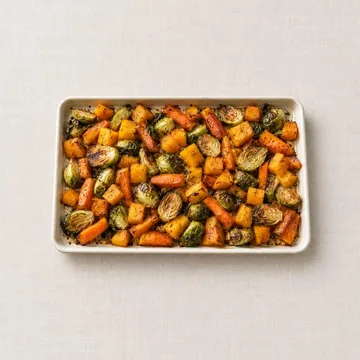 Roasted vegetables
 Cranberry sauce
 Salad
Salad Rolls
Rolls Pumpkin pie
 Pecan pie
 Apple pie
 Grandma's corn pudding isn't on the list? Add it from scratch once and it's saved to My Dishes, ready for every dinner after.
In your hand, on the counter, on the wall.
iPhone
The whole plan in your pocket, with alerts, a Live Activity and Home Screen widgets for the next step, the oven and the countdown to dinner.
iPad
A layout made for the bigger screen: the plan, the Kitchen view and Cook Day side by side, easy to read from across the kitchen.
Kitchen displays
Large widgets turn a kitchen iPad or HomeView display into a dashboard everyone can see: what's in the oven and what comes next.
Free to plan. One price to unlock.
No subscription and no ads. Try a whole dinner for free, then unlock everything once.
Free
$0
- One dinner with up to 4 dishes
- The full timeline and Kitchen view
- Clash spotting and fixes
- Grocery list
- The Cook Day screen
- 4 of your own dishes in My Dishes
Unlock Dinner Buddy
$7.99 once
Launch price $4.99 through Thanksgiving
- Every dish, every dinner, no limits
- Cook Day alerts and the Lock Screen countdown
- Home Screen and kitchen display widgets
- PDFs of the timeline, Kitchen view and grocery list to print or share
- Save this year's dinner as next year's plan
- Unlimited My Dishes
- Family Sharing: one purchase covers your household

Meet Bailey.
Bailey is the Labrador who keeps you company on Cook Day. He cheers when a dish is done, worries when you're running behind and keeps a close eye on the turkey.
Questions
Do I need an account?
No. There's nothing to sign up for. Your dinners and dishes are saved on your iPhone or iPad.
Does it work for meals that aren't holidays?
Yes. Start from scratch for a birthday dinner, a Sunday roast or a Friendsgiving potluck. Mark a dish as brought by a guest and only its reheating is planned.
What if my kitchen has two ovens, or an air fryer?
Tell Dinner Buddy what your kitchen has: ovens and racks, burners, slow cooker, air fryer, grill, microwave. The plan uses exactly that.
Celsius?
Yes. Temperatures show in °F by default, and you can switch to °C in Settings.
Does the unlock work on my iPad and my partner's iPhone?
Yes. It's a one-time purchase tied to your Apple Account, so it works on all your devices, and Family Sharing covers everyone in your family group.

Then you get to sit down too.
Dinner Buddy comes to the App Store in November, in time for Thanksgiving.